


Mirror App - Makeup Mirror
4.7166.00 Reviews
App Specs
- Version
- 1.2.3.2
- Updated On
- License
- Free
- Downloads
- 1,000,000+
- Developer
- o16i Apps
- Categories
- Beauty
- Platform
- Android
Screenshots
 Analysis by AppCompare
I reach for a phone mirror when I need a quick check and don’t have a compact nearby, but a camera preview is only useful if I can see the detail I need without fuss. Mirror App - Makeup Mirror is built for that small, practical job: it turns a front-camera view into a handy way to check makeup, hair, or your face on the go. I see it as a convenience tool rather than a replacement for a proper mirror, and that distinction matters when you decide whether it fits your routine.
A quick check before you leave
Picture this: I’m already dressed, my bag is packed, and I notice a smudge near my eye just as I’m heading out. I don’t need a camera session or a beauty filter; I need a clear view, a moment to fix the problem, and a way to make sure the change worked. This is the kind of situation where a dedicated mirror app makes sense. It is quicker than opening a social camera and trying to dismiss modes or effects before I can see myself.
That focused purpose is also the app’s main trade-off. It is useful when I want to inspect my appearance, but it is not a makeup lesson, product finder, or photo-editing studio. If I want inspiration or a polished selfie, I would choose another kind of beauty app. If I just need to check whether my hair has settled after a windy walk, a mirror view is the simpler answer.
From opening the app to checking the result
My ideal workflow is straightforward: open the app, use the front-camera reflection to locate what needs attention, adjust the view, make the small fix, then look again before putting the phone away. The fewer steps between noticing an issue and seeing it clearly, the better. A mirror app earns its place in my routine by reducing that little bit of friction, especially when I am in a hallway, office washroom, or another spot where I do not have a convenient mirror.
The magnifying view is most useful when I already know what I’m looking for. I would use it to check a lash line or a small lipstick edge, rather than to judge an entire makeup look. Close inspection can exaggerate tiny imperfections, so I find it sensible to zoom in for the repair and then return to a wider view to see whether everything looks balanced. That two-pass habit helps me avoid overcorrecting a detail that would be barely noticeable at normal distance.
Brightness control can help when the screen looks too dim for a quick check, but it cannot make the room’s lighting identical to daylight. I treat the image as a useful close-up, not a final verdict on color matching. If I am choosing a foundation shade or judging how blush looks outdoors, I would still check in the light where I plan to wear it. The app can make a reflection easier to see; it cannot remove the limits of the surroundings.
What happens when I need to act on what I see
A mirror is only one step in a touch-up. I still need the makeup, tissue, comb, or other item that will fix the problem, and I have to manage the phone at the same time. In practice, I would prop the phone against something stable or hold it in the hand that is not doing the detail work. That is less convenient than a wall mirror when both hands are needed, but it can be enough for a quick check or a small correction.
Worth Reading Before You Choose

EA SPORTS FC Mobile 26 Is a Bigger Football Game, but It Takes Time

Flipboard Shows What News Apps Must Do Beyond the Feed

Switching to Android Auto Means Rethinking Your Driving Routine

Google Calendar Makes a Crowded Week Easier to Manage

Ludo King Makes the Most of the Minutes Between Plans

Baby Panda World Brings Quick Play to Modern Phones, but Its Game Library Feels Busy
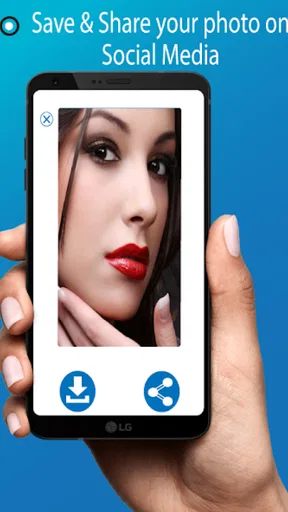
The capture option is handy when I want to keep a still image rather than rely on a live reflection. I would use it to compare a look before and after a change, or to inspect a detail without trying to hold the phone perfectly steady. It also creates a handoff: once I have an image, I can look at it separately from the live view. I would not treat that as a substitute for a real-time mirror, though, because a saved image can be less useful than seeing how the result looks while I move naturally.
For a more demanding makeup routine, I would set up near a proper mirror and use the phone as a close inspection aid, not as the only viewing surface. That gives me a broader view for symmetry and overall balance, while the app helps with small areas that are hard to see. It is a more careful workflow than simply opening the app, but it plays to the tool’s strengths instead of asking a small screen to do everything.
What Exactly is the Mirror App?
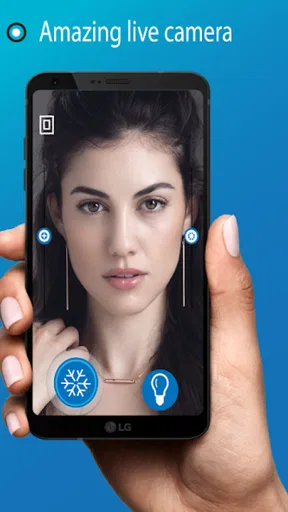
So, the Mirror App - Makeup Mirror is pretty much exactly what it sounds like: it turns your phone into a mirror. But wait, it’s not just any ordinary mirror. This app uses your phone’s front camera to give you a crystal-clear reflection, and it comes packed with a bunch of cool features that make it more than just a digital mirror.
Features That Make It Shine
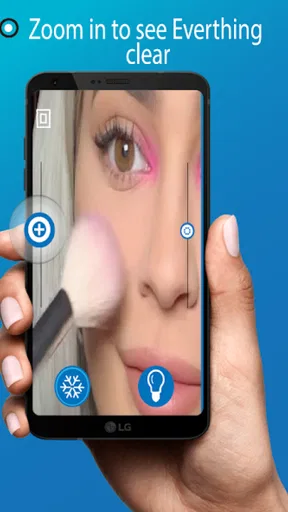
First off, the zoom function is a game-changer. You can zoom in on your reflection to get a closer look at those tiny details. Perfect for when you're doing your eyeliner or checking for stray mascara smudges. Plus, it’s super easy to use. Just pinch to zoom like you would on a photo.
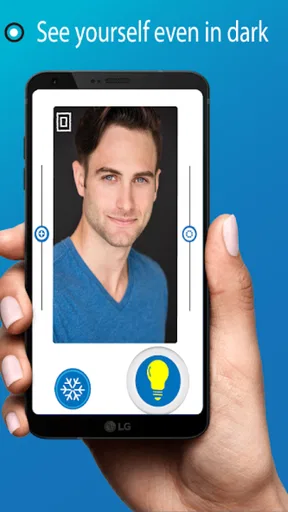
Another handy feature is the brightness control. You can adjust the brightness to suit your surroundings, which is awesome because we all know how lighting can make or break a makeup look. Whether you’re in a dimly lit room or out in the sun, you can tweak the brightness to get the perfect view.
Let’s not forget the freeze frame option. You can pause the image on your screen to get a steady look without having to hold your phone perfectly still. It’s like having a pause button for real life!
User Experience: Smooth Sailing or Rocky Ride?
Installing and setting up the app was a breeze. The interface is clean and intuitive, which is always a win in my book. From the moment you open it, everything is laid out clearly, so you don’t have to fumble around trying to figure out how it works.
One thing I really appreciate is that there are no annoying ads popping up every two seconds. I can’t stand when an app bombards you with ads, so this was a pleasant surprise. It makes the whole experience feel smooth and seamless.
When and Where to Use It
I’ve found myself using this app almost everywhere. It’s perfect for quick touch-ups during the day, whether I’m at work or grabbing coffee with friends. It’s also a lifesaver during travel. I mean, have you ever tried doing your makeup with those tiny airplane bathroom mirrors? Not fun.
Plus, the app is super lightweight, so it doesn’t hog your phone’s storage or drain your battery, which is always a bonus. You can just leave it installed for whenever you might need it.
Choosing it over other options
When I compare it with the usual alternatives, I think of three choices: a compact mirror, the camera app already on the phone, and a larger bathroom or vanity mirror. A compact is dependable and does not depend on a screen, but it may be too small for fine detail. A regular camera can show my face too, though it may open into photo controls or modes I do not need. A wall mirror gives me more context and often lets me use both hands, but it is not always nearby. This app sits between those options: portable and focused, but still limited by the phone’s screen and camera view.
It is a good fit for someone who wants a mirror available on the phone and values magnification and screen brightness adjustments for close checks. I would also recommend it to a traveler who wants a backup for quick grooming without packing another object. I would skip it if I need a full-face view while styling hair with both hands, if I need to assess makeup color under consistent lighting, or if I simply prefer a reflection that does not depend on a camera preview. In those cases, a regular mirror is the better tool.
Small habits that make the view more useful
I get a more reliable check by holding the phone at a comfortable distance first, then moving it closer only for a detail. Starting at maximum magnification can make the view feel cramped and can hide how the makeup looks as a whole. For a clean workflow, I inspect the overall result, zoom in to fix one specific area, freeze or capture the view if a steadier look would help, and then return to the wider view before I stop.
Lighting deserves its own quick check. If the room is very dim, raising screen brightness can make the image easier to see, but it is not the same as illuminating my face with a lamp. I try not to make a big color decision based only on a brightened screen. For a small smudge or a stray hair, the view is enough; for shade matching, I check again near the light where I will actually be seen. This simple distinction prevents a useful convenience feature from creating false confidence.
There is also a practical handoff between looking and fixing. If I am touching up eyeliner, I put the product within reach before opening the app, so I am not juggling the phone while searching through a bag. When I need two hands, I use a stable surface for the phone if one is available. That is not as flexible as a mounted mirror, but it turns a one-handed check into a more controlled small task. For a quick lipstick check, holding the phone is usually enough; for detailed work, stability matters more.
What to expect before installing
As a beauty app from o16i Apps, this is a deliberately narrow utility rather than a broad toolkit. It is free to install, rated for Everyone, and has a 4.7 average from around 8.9 thousand ratings, with over a million installs. Those figures suggest it has found an audience for a simple use case, but they do not change the basic question: do I often want a mirror when a physical one is not close by? If the answer is yes, the focused design is appealing; if not, it may become one more icon I rarely open.
The current version is 1.2.1, and the app first appeared on June 2, 2019. It supports Android 7.0 and later, so older compatible phones are included. The app is free, while optional in-app purchases range from $0.99 to $99.99 per item. I would check the purchase screen carefully before confirming anything and judge the free experience on its own merits first; a basic mirror task should feel useful before I consider paying for extras.
A natural question is whether I can use it for a full makeup routine. I would say it can assist, but I would not choose it as my only mirror for a long session. The close-up view is useful for detail, yet a phone held near the face is an awkward way to judge overall symmetry, and the camera view is still shaped by the room’s light. For a short correction, that compromise is worthwhile. For a complete look, I prefer a larger fixed mirror and use the app only when I need a closer look.
Another practical question is whether the saved or paused view changes the way I should work. I treat those options as aids for steadiness and comparison, not as proof that a makeup adjustment will look identical in motion. A still view can help me spot a small edge, but I always check the live reflection again before leaving. If I am checking hair, I also move my head slightly after the close inspection; a single frozen angle can make a strand look settled when it is not.
Final Thoughts
All in all, the Mirror App - Makeup Mirror is a nifty little tool that’s made my life a tad bit easier. It’s one of those apps you didn’t know you needed until you have it, and suddenly you can't imagine going without. Whether it’s checking if there’s something in your teeth or making sure your lipstick hasn’t smudged, it’s got you covered.
If you’re as absent-minded as I am when it comes to carrying a compact mirror, this app is the perfect pocket-sized solution. So, why not give it a whirl and see for yourself?
Pros
- High-quality zoom for detailed view.
- Adjustable brightness for any lighting.
- Easy interface
- user-friendly design.
- Real-time image freezing for precision.
- Compact and lightweight
- easy to use.
Cons
- Requires camera permissions to function.
- May drain battery with prolonged use.
- Advertisements can be intrusive.
- Limited features in free version.
- Performance varies on older devices.
FAQs for Mirror App - Makeup Mirror
What is the Mirror App - Makeup Mirror used for?
The Mirror App - Makeup Mirror is designed to transform your smartphone into a high-quality, portable mirror. It utilizes your device’s front camera to provide a clear and bright reflection, perfect for makeup application or quick touch-ups on the go. The app often includes features like adjustable brightness and zoom to enhance your viewing experience.
Does the Mirror App require an internet connection to function?
No, the Mirror App - Makeup Mirror does not require an internet connection to operate. Since it uses your device's front camera, all the essential functions are available offline. This makes it convenient for use in areas with poor connectivity or when you’re traveling without access to the internet.
Are there any in-app purchases or ads in the Mirror App?
The Mirror App - Makeup Mirror may contain ads and offer in-app purchases. These purchases typically include premium features such as ad removal or advanced functionalities like enhanced zoom or additional lighting effects. It’s advisable to check the app’s description on the app store for specific details about its monetization model.
How is the image quality in the Mirror App compared to a real mirror?
The image quality in the Mirror App - Makeup Mirror largely depends on the quality of your device’s front camera. While it may not perfectly replicate the clarity of a high-quality physical mirror, the app offers adjustable brightness and zoom features to optimize the reflection for makeup application and grooming needs.
Is the Mirror App compatible with all Android and iOS devices?
The Mirror App - Makeup Mirror is generally compatible with most modern Android and iOS devices. However, it’s always a good idea to check the app store listing for specific compatibility information, as some features might require newer operating systems or higher camera resolutions for optimal performance.


